BUILT ON CLIMFORMATICS' CORE PLATFORM

Weather-Aware Event Planner

I led product design, PM, and front-end to turn forecast signals into planning decisions. We shipped a wedding-first MVP and kept the system neutral so it can extend to other event types without new UI.
Team
1 designer (me), 1 engineer
Role
Product Design, PM, Front-end
timeline
Aug 2024 – Jan 2025
Problem
Forecasts tell you the weather, but they don’t tell you what to do. Planners need date-specific tracking and alerts that turn risk into actions.
Users & Constraints
Who: Couples and coordinators planning outdoor weddings first; the visual system is neutral so it can extend to other events.
Constraints:
Shared internal platform; lean on familiar patterns to reduce onboarding.
Success metrics: Faster go/no-go decisions; users can set up tracking in
< 60s; emergencies are seen immediately.
Why Now
Climate volatility increases the uncertainty of planning events; teams need a tool that translates probability into guidance instead of raw data.
Where information lives
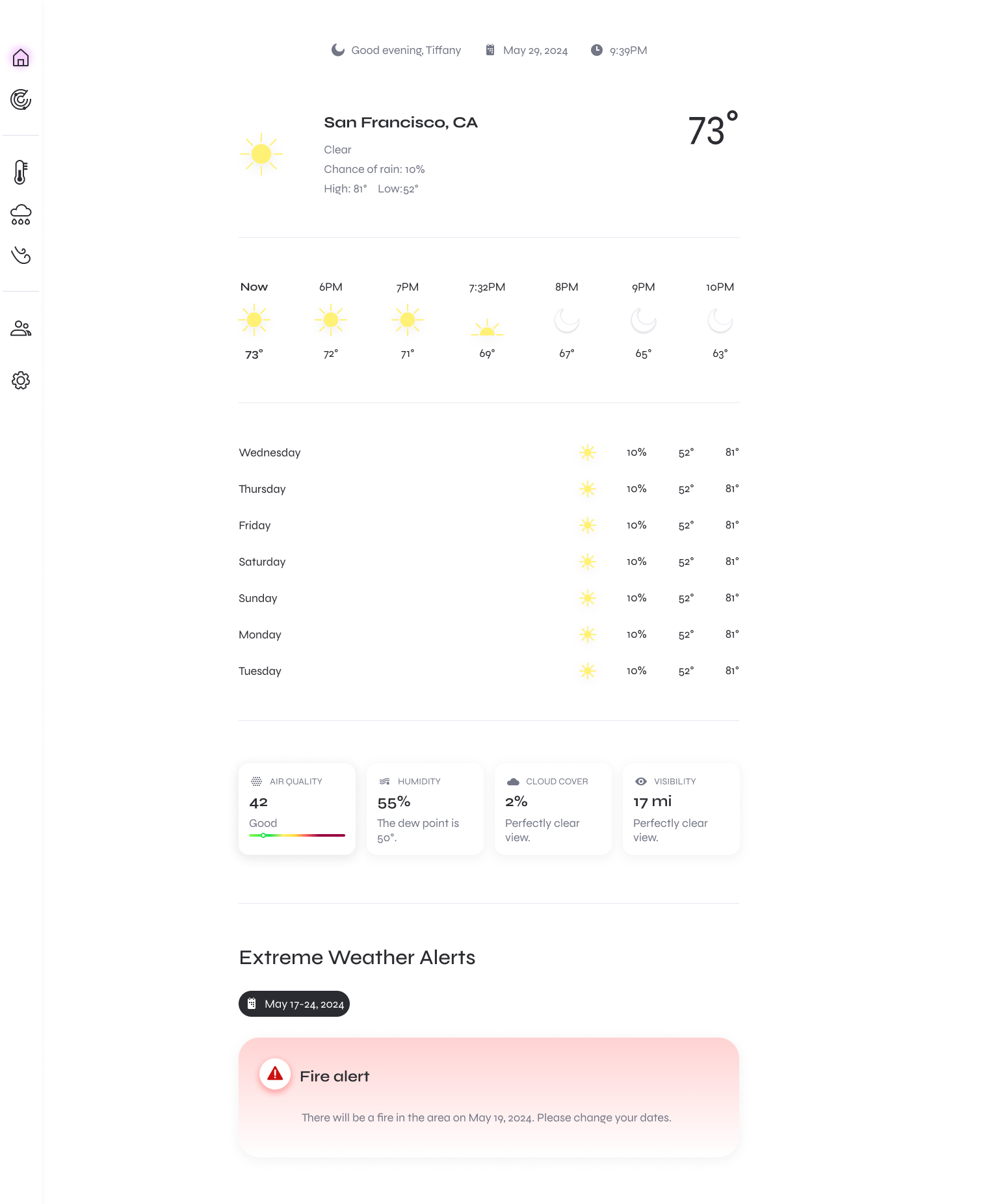
Home: Familiar weather + emergency banner
Familiar “now/hourly/7-day” overview with utility cards keeps orientation fast. Emergency hazards (e.g., fire alerts) surface here as a prominent banner so no one misses time-sensitive risks.
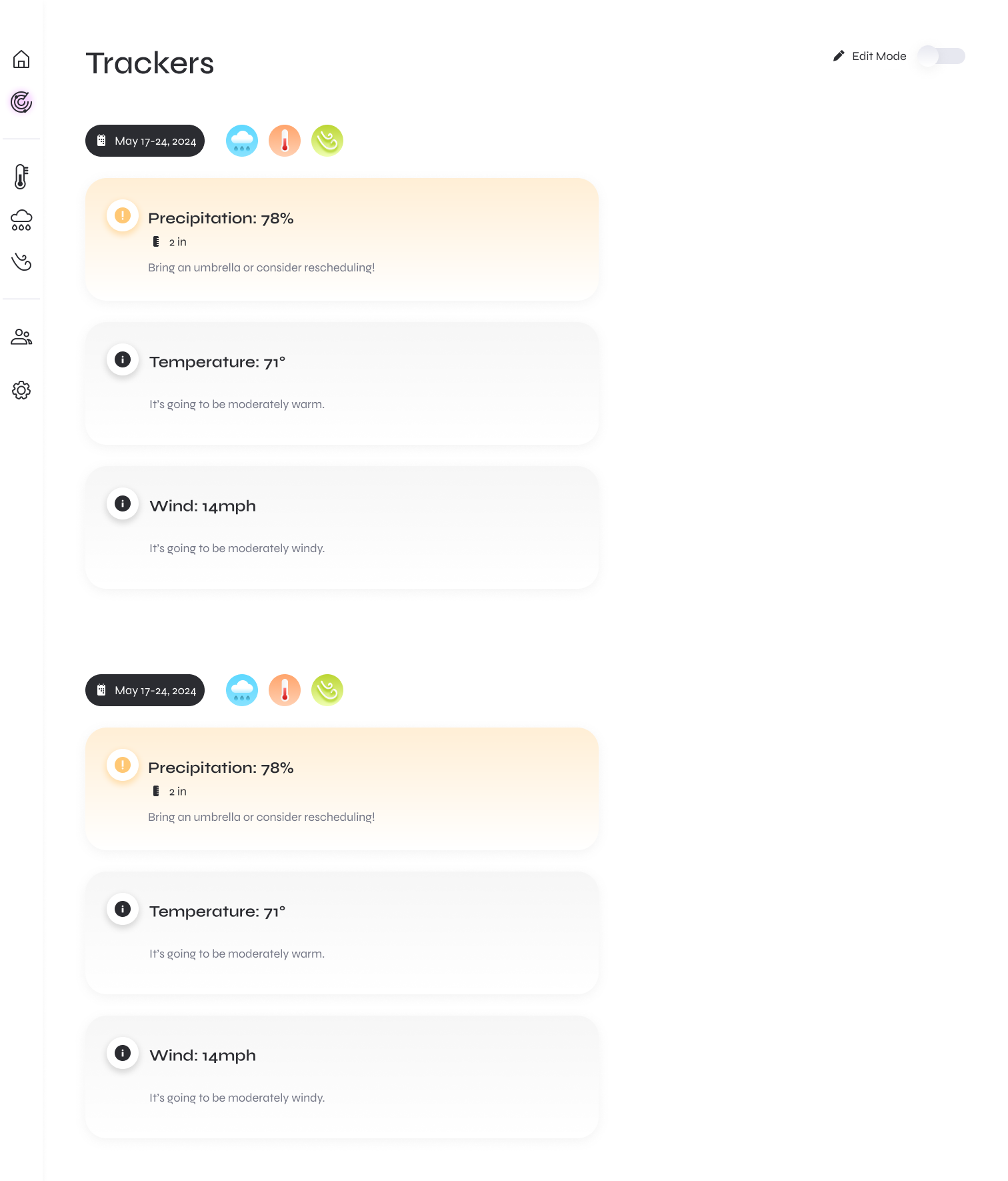
Trackers: Date-range monitoring
Users create Trackers for specific windows (e.g., May 17–24). Each card watches rain, temperature, wind, and gives plain-language guidance (“Bring umbrellas” / “Consider rescheduling”).
Exploration → Decision
I explored the following options for displaying time-relevant weather information:
- Calendar overlays: good for scanning, weak for multi-day windows & thresholds.
- Saved filters: flexible, but abstract and easy to forget; not tied to a concrete event.
- Notification-only rules: low effort, but invisible until triggered.
Decision: Trackers
I introduced Trackers, an event-centric object that bundles date range + thresholds + clear together into a scannable cards.

This unlocked a couple wins:
- Clarity: numeric forecasts → verbs (“Bring umbrellas,” “Consider rescheduling”).
‍- Leverage: one rules engine and component library that generalizes beyond weddings.

Early signals:
users created a tracker in < 60s in testing.  
TRACKERS UX
Threshold-aware cards: When a user’s metric (e.g., precip > 50%) threshold limit is exceeded, the card turns yellow/orange and elevates the headline stat; a short action line translates it into a decision.
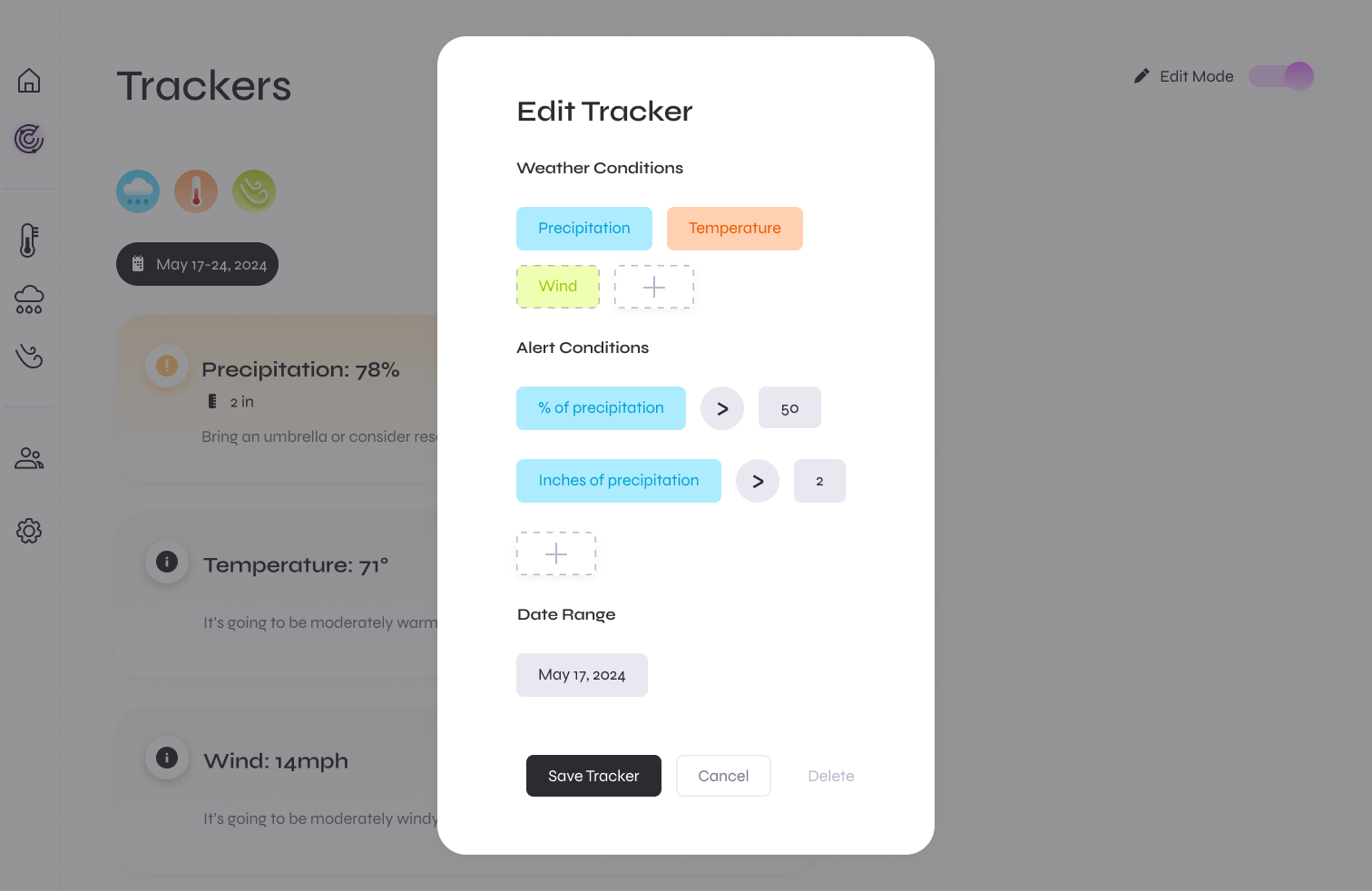
User control: Thresholds are editable per Tracker.

Progressive disclosure: “+” chips reveal optional conditions so users only see what they need, allowing for fast first-time setup.

Color language: Metric chip colors are stable (precip=blue, temp=orange, wind=green). Alerts use a dedicated warning icon/tint, so metric colors never imply severity.
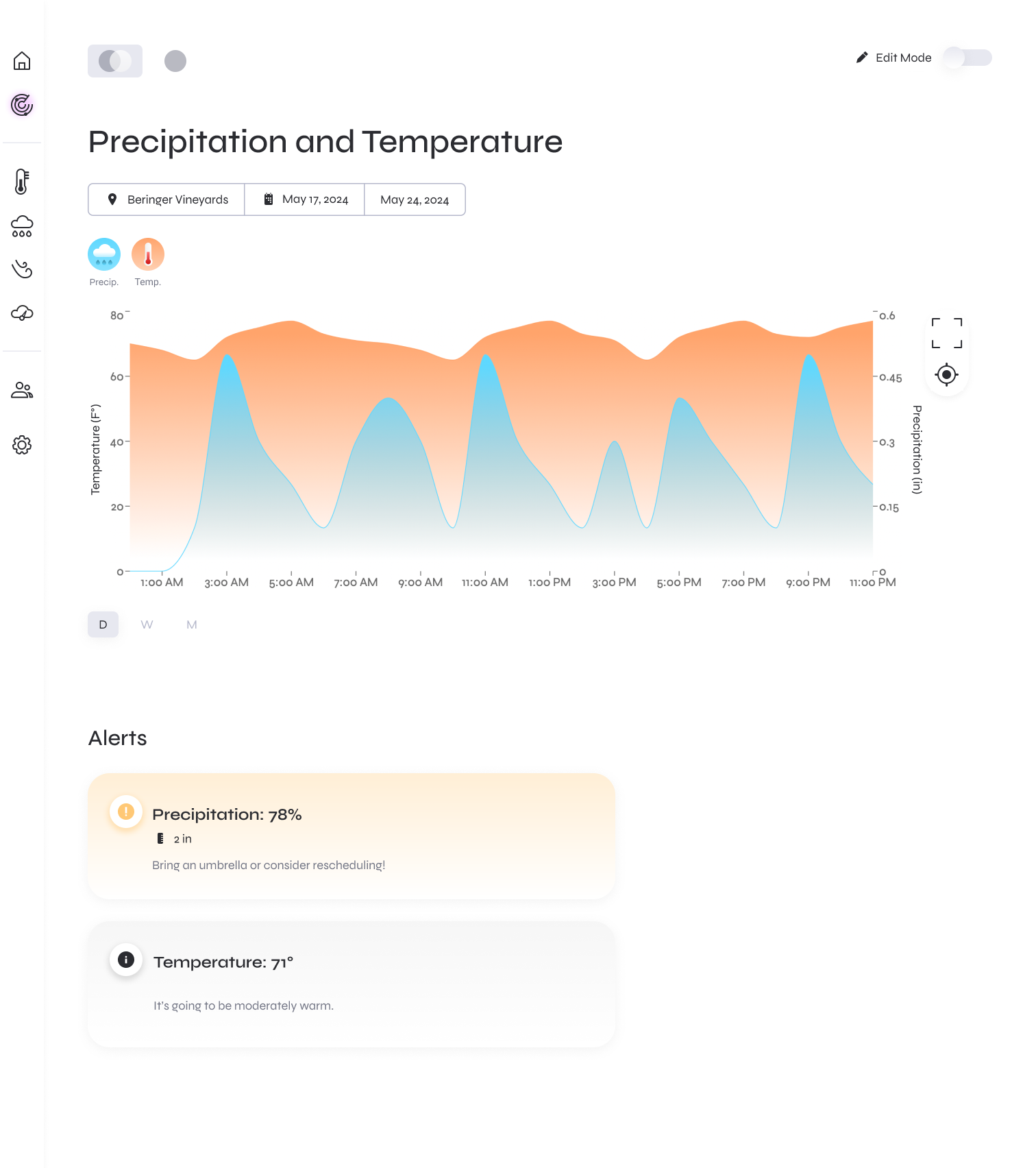
This page shows one tracker’s window (venue + dates) with only the metrics selected for that tracker.

Alerts panel: Threshold crossings roll up as plain-language alerts under the chart (e.g., “Bring umbrellas…”). Guidance lives with the tracker, not in the global weather tab.
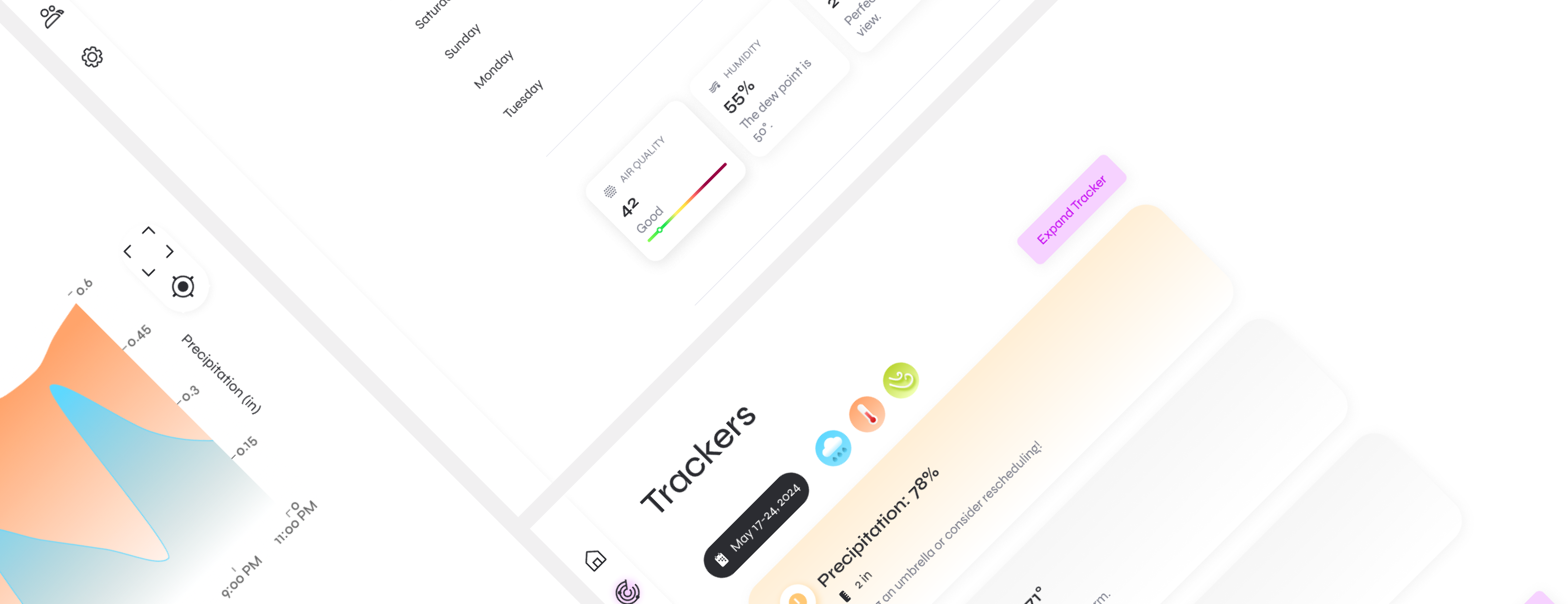
Familiar chart, focused context: The area chart uses the same palette as Home, but is scoped to the tracker so trends map directly to decisions for that event.
Edit on demand: Edit Mode toggles configuration without cluttering read mode.
Results
Usability KPIs (prototype test, n=12).

p50 = median, p90 = 90th percentile; “unaided” = no moderator help.
what i learned
Contract-first collaboration: We wrote the Tracker rule schema together (operators, thresholds, date window) and turned this into a shared spec. This minimized the need for rework: front-end mocked the API before back-end was ready while back-end validated against the same types.

Built a mini design system from scratch: I defined tokens (color, type scale, spacing, radius, shadow) → primitive components (Card, Chip, Modal) → patterns (Tracker card, Edit modal). These changes at the token layer cascaded across the UI and eliminated the need for pixel-pushing.